Getting started with Nimble Kidsz is straightforward. We use a secure online platform called Smart Central to manage enrollments.
That’s it — it’s a one-time setup
Step 1 Create your account on Smart Central
Step 2
Enter your child’s details and upload a few documents
Step 3 We review and confirm your enrollment
What You’ll Need
To save time, it helps to have:
Medicare details
Immunisation record
Emergency contact details
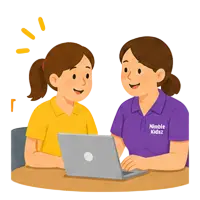
Need Help? We Can Do It With You
Need Help? We Can Do It With You
We know the enrollment process can feel a bit long or confusing the first time — that’s completely normal. You don’t have to figure it out on your own. We’re here to help every step of the way:
Call us and we’ll guide you through it
Book a time and come in — we’ll complete it together
Send us a message and we’ll point you in the right direction
Most families who come in complete everything in one sitting with us.